

Wireless Car Chargers: Why Your Phone Won't Charge on the Pad, and How to Fix It
You set your phone on the pad, glance at the screen, and see nothing. Or worse, it charges for a minute, drops out, and restarts on every bump in the road. If this sounds familiar, the problem is rarely a faulty product. It is usually a mismatch between the phone, the mounting position and the power supply. This guide explains how to choose, use and care for wireless car chargers so they work the way you expect.
1. Why a Wireless Car Charger Can Feel Unreliable
A cabled charger is forgiving. As long as the plug is seated, power flows.
Most frustrations fall into a handful of patterns: a phone that does not start charging, a charge that stops during bumpy driving, a phone that gets warm and throttles, or a pad that works at home but not in the car.
Understanding the mechanics makes the fixes obvious, so we start there.
2. How Wireless Car Charging Actually Works
Wireless charging uses a coil in the charger and a matching coil in your phone.
The key point is that the two coils must sit close together and line up.
Many phones follow the Qi standard, which is why a single pad can serve different brands.
3. Phone Cases, Thickness and Metal: The Usual Blockers
The most common reason a phone will not charge is the case.
- Thick or rugged cases that increase the distance between the coils.
- Metal plates or magnetic mounting discs stuck to the back of the phone, which can block or redirect the field.
- Card wallets and ring grips that prevent the phone from sitting flat.
- Popsockets and similar accessories that tilt the phone away from the pad.
If charging is inconsistent, remove the case and test once. If it charges immediately, you have found your answer. You can then decide whether to switch to a slimmer case or choose a magnetic charger designed for aligned attachment, such as those paired with MagSafe phone mounts.
4. Placement, Alignment and Mounting in Your Cabin
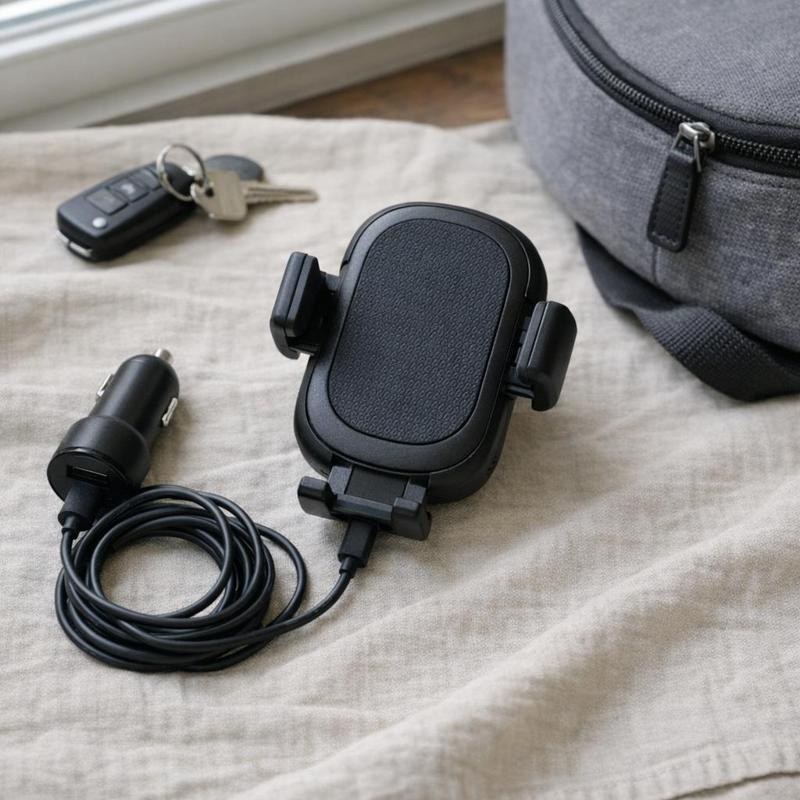
Where the charger sits matters as much as what it is.
Consider these points when positioning it:
- Stable surface or secure mount. A pad on a slippery dashboard section can slide on corners. Vent, dash and console mounts each have different strengths.
- Grip. Look for a design with a lip, rubberized surface or clamping arms so the phone stays centered.
- Viewing angle. If you use navigation, the phone should sit where you can see it without looking away from the road for long.
- Coil location. Phone coils are in different places. Lay the phone on the pad and confirm the charging indicator before you drive.
For drivers who want a fixed, hands-free position, a magnetic design that snaps the phone into the same spot every time removes most alignment guesswork.
5. Heat: The Hidden Cause of Slow Charging
Wireless charging naturally generates more heat than a cable, and a car cabin in summer can add a great deal more.
You can reduce heat problems with a few habits:
- Avoid mounting the charger in direct sunlight on a hot dashboard.
- Use cooled air from a vent where practical, provided the mount allows it.
- Pre-cool the cabin before starting a long navigation session.
- Do not run heavy apps, such as video or gaming, while charging on a hot day.
Keeping the windshield shaded when parked also helps, since the interior starts cooler. A car sun shade is a simple way to lower the starting temperature before you ever plug in.
6. Power Sources and Cable Choices That Matter
A wireless pad is only as capable as the power feeding it.
Keep these principles in mind:
- Use the adapter and cable recommended by the charger. If the pad needs a higher-output input to reach its rated speed, a basic adapter will limit it.
- Check the cable. A damaged or very thin cable can restrict power. Replace frayed leads rather than hoping they work.
- Confirm the socket is live. Some vehicles switch power off with the ignition. If the pad is dead, test another outlet.
- Consider a high-output source. A quality USB-C car charger can provide the stable input that a wireless pad needs.
Remember also that wireless charging is less efficient than wired.
7. Care and Maintenance Habits That Keep a Pad Dependable
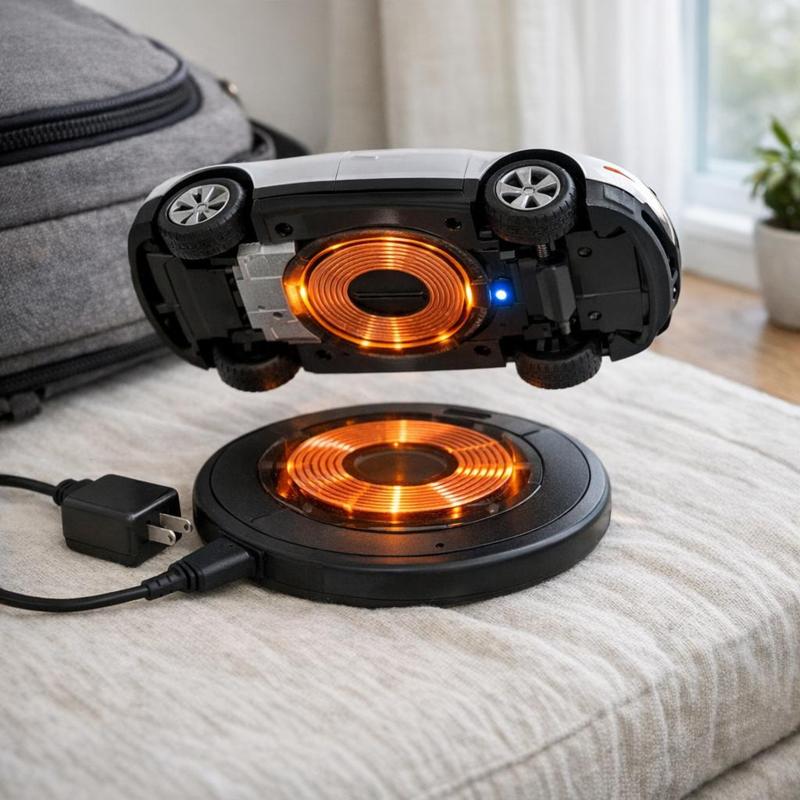
Because a wireless charger has no ports to wear out, it tends to last well, provided you treat it sensibly.
Keep the surface clean. Dust, crumbs and sticky residue can stop the phone from seating flat. Wipe the pad with a soft, slightly damp microfiber cloth with the power disconnected, then dry it fully.
Remove foreign objects. Coins, keys, cards and metal items resting on a live pad can heat up and interfere with charging. Make it a rule to keep the pad clear, and never leave anything metallic between the phone and the surface.
Check the mount. Vibration can loosen clamps and adhesive over time. Re-seat and tighten as needed, and make sure the cable is not tugging the unit out of position.
Manage the wiring. A dangling cable can snag on your hand or the gear shift and pull the pad loose. Routing it neatly with cable management accessories keeps the cabin tidy and the connection secure.
Mind the temperature when parked. Extreme heat can shorten the life of electronics. Where possible, avoid leaving the pad in full sun for hours, or unplug and stow it on very hot days.
8. A Simple Checklist Before You Decide on a Charger
Use these questions to choose well and avoid returns:
- Does your phone support wireless charging? Confirm the standard it uses, and whether it has a magnetic ring.
- What case will you use? Choose a pad that works with your case thickness, or plan to swap to a slimmer one.
- Where will it mount? Match the style, whether vent, dash or console, to your car's layout and your preferred phone position.
- How will it be powered? Make sure you have a suitable adapter and a reliable outlet.
- Will it stay cool enough? Think about sun exposure and airflow in your cabin.
- Is grip strong enough for your roads? A secure hold prevents dropouts on bumps and turns.
Working through this list turns a vague frustration into a clear, solvable setup. If you want to compare mounting styles and see what fits your car, you can browse the full range at DriveLab.
9. Summary
When a wireless car charger fails to deliver, the cause is almost always one of five things: a case or accessory that blocks the field, poor alignment, heat, weak power, or a loose mount.
With those habits in place, a wireless charger becomes what it should be: a quiet, cable-free convenience that keeps your phone topped up on every commute and long trip without any fuss.